3D Roof Design Software
Cedreo lets professional builders, remodelers, and contractors create stunning 3D roof designs that help them close more deals.
How to Use Online Roof Design Software
More than just a roof design software, Cedreo accelerates every step of the house design process, from creation to presentation.
Once you’ve created your project’s foundational layout, you can work with the roof editing tool to wrap up the exterior design.
In just a few clicks, you can build a roof that perfectly complements the rest of your hard work.
Draw the Roof in 1 Click, Then Choose the Layout
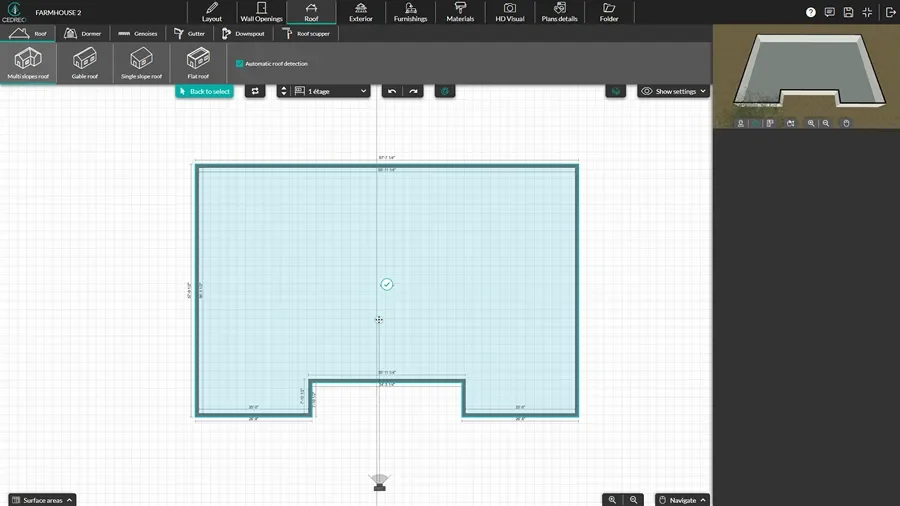
Thanks to an intuitive interface, it’s simple to add roofing to your house layouts. Start at the Roof tab.
- Once you’ve finished the 2D floor plan with exterior walls, select Automatic Roof Detection.
- Select the roof shape: single slope, gable, multi-slope, or flat roofs.
- Click the check box on the floor plan.
- Cedreo automatically adds a roof that you can see on the 2D and 3D plans.
Customize the Roof Settings
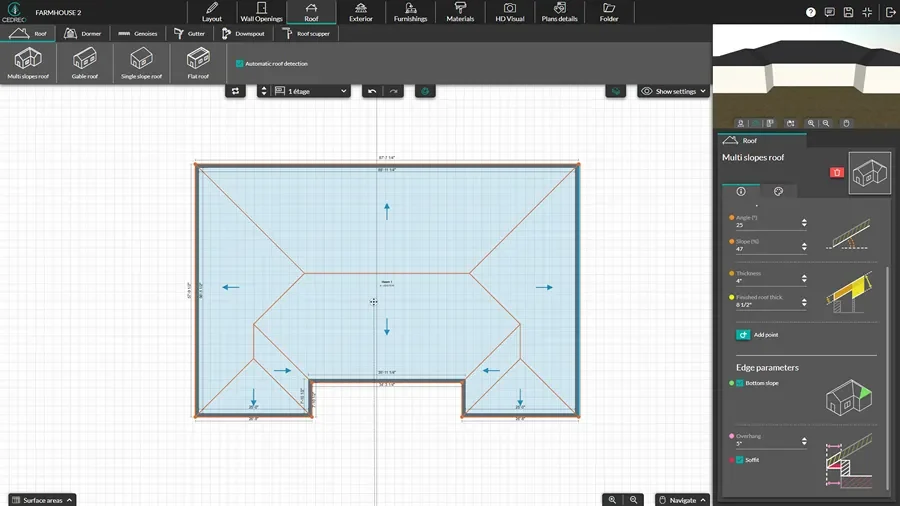
Use the side pane options to dial in the roof structure and edge parameters to match exactly what you need.
- Adjust roof height and set pitch using angle or percentage of the slope.
- Fine-tune thickness so your roof design reflects your build intent and interior ceiling conditions.
- Set ridge offsets and leave overhangs.
- Add soffit if needed.
Finish it With Dormers, Gutters & Downspouts
Finish the new roof with details that impact both curb appeal and functionality.
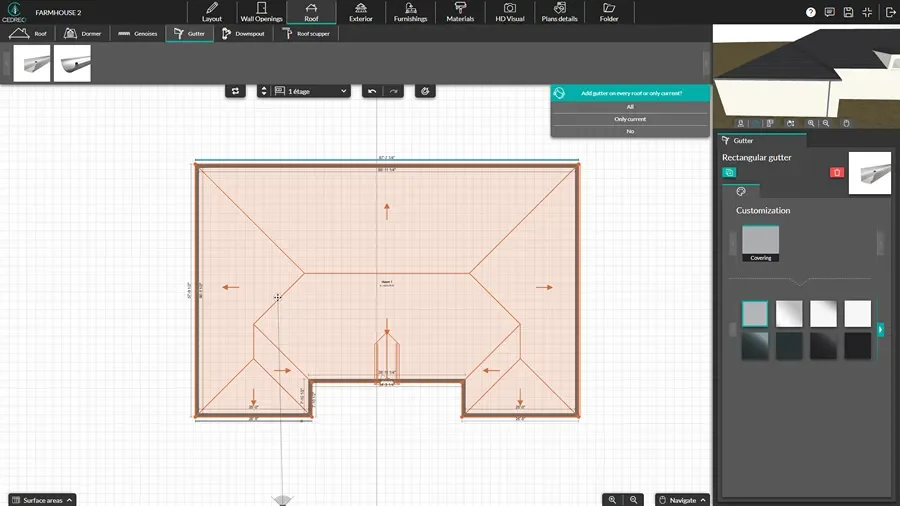
- From the Roof and Wall Opening tabs, drag and drop dormers, roof windows, skylights, gutters, and downspouts.
- Resize and reposition roof elements so everything aligns cleanly with windows, walls, and elevations.
- Review the roof layout in 2D while checking the exterior in 3D for fast quality control.
- Add finished 2D roof plans and 3D roof views to your project presentations.
Fast & Detailed Roof Plans
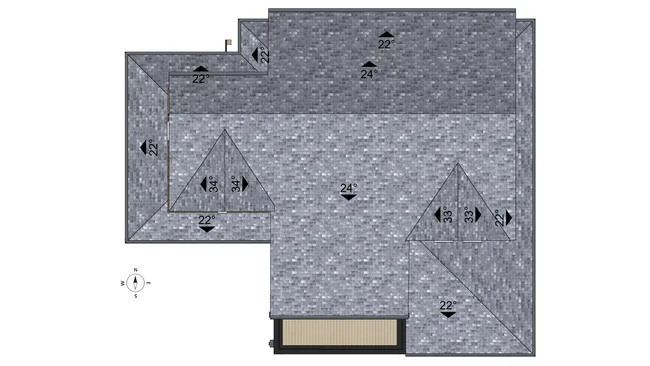
Cedreo helps you create a roof plan that communicates roof designs clearly to homeowners.
- Accurate roof layout: Draft a clean outline from your floor plan perimeter with the ability to refine edges and roof structure details.
- Pitch and drainage clarity: Show slope, pitch, and water drainage intent early, which reduces questions during build planning.
- Material specifications: Choose from a wide range of roofing materials and covering choices so material selection stays consistent across the project.
- Plan set-ready details: Pair your roof plan with site plans, cross sections, elevations, and electrical views so everyone builds from the same story.
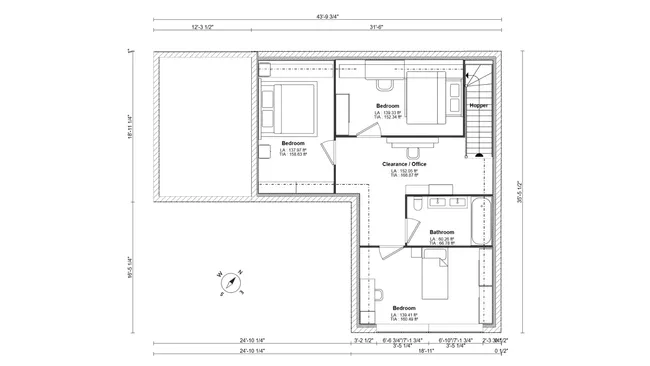
Attic Plans
When the attic is living space, storage, or future finish potential, an attic floor plan level keeps everyone aligned on what the space can be.
- Realistic usable space: Show what the attic can actually hold, including storage zones, livable areas, and non-functional zones.
- Clear access and flow: Visualize stair placement and circulation so the attic feels like part of the home.
- Better light and headroom decisions: Show how dormers, skylights, and roof windows affect comfort and layout.
Photorealistic 3D Exterior Renderings
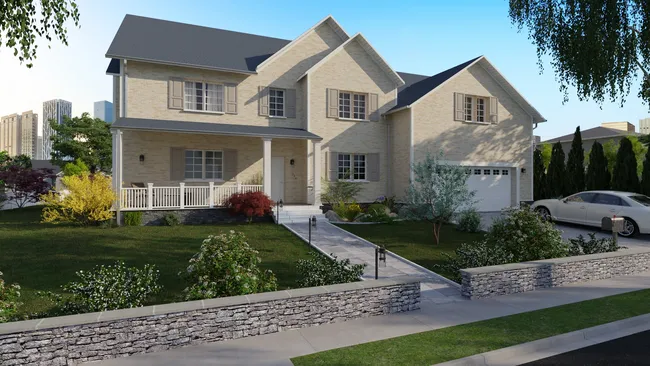
Turn roof designs into visuals that help homeowners approve faster and help teams build with fewer surprises.
- Add the final touches: Add landscaping, walkways, and other details that help clients understand your vision.
- Show curb appeal: Compare roof types, overhangs, dormers, and key details in a realistic exterior view.
- Confirm materials: Preview roofing materials and shingle colors in context, including siding and trim.
- Sell the whole design: Showcase the home’s exterior style from multiple angles so clients can make informed decisions.
Roof Design Features That Save You Time
Cedreo’s online roof designer fast-tracks your work, so you can go from a basic layout to a fully-rendered 3D visualization in a single day.
This speed is supported by core features that are engineered to intelligently predict your needs and allow for simple adjustments to achieve perfect accuracy.
All of these features work together to streamline your workflow, so you can finish projects more quickly.
Automatic Roof Detection
Automatic detection prevents the hassle of hand-drawing every edge and angle of simple roof designs.
Add Roof Valleys in 1 Click
Create valleys quickly so complex roof types don’t require hours of manual edits.
Wide Library of Roofing Materials & Coverings
Choose roofing materials and accessories like shingles, metal, tile, green roofs, solar panels, and more.
Visualize in 3D While You Draw
A side-by-side window view gives full clarity so that you can be certain your blueprints translate into the desired roof design.
World Class Support
Get fast help from a real person (your Dedicated Success Manager) as well as from video tutorials and the knowledge base.
Easy to Learn & Intuitive
Use drag-and-drop tools and a simple workflow that helps busy contractors start designing roofs quickly…no CAD experience required.
A Simple Designer for Any Roof Type
Your clients’ houses don’t end at their ceilings, so why should your designs?
Cedreo’s all-in-one roof design software allows you to go beyond simple layouts, so you can create complete designs of home interiors and exteriors, all the way up to the rooftops.
Check out these examples.
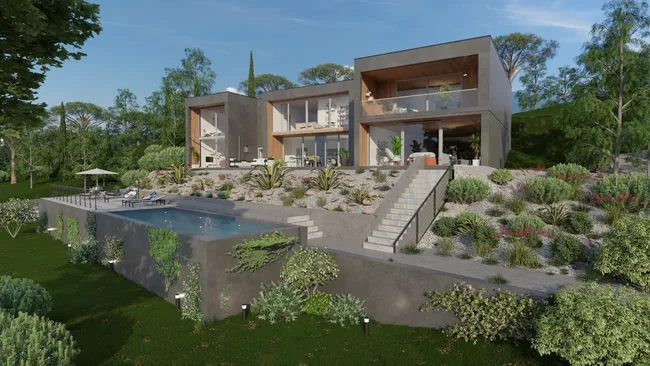
Flat roof
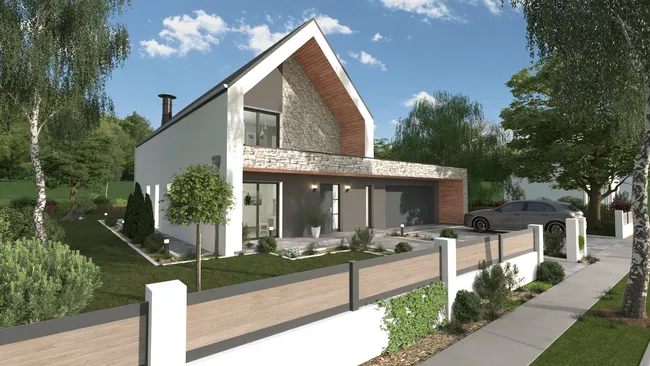
Gable roof
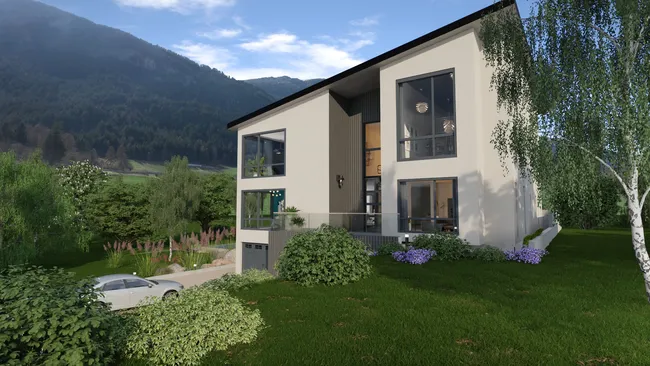
Single slope roof
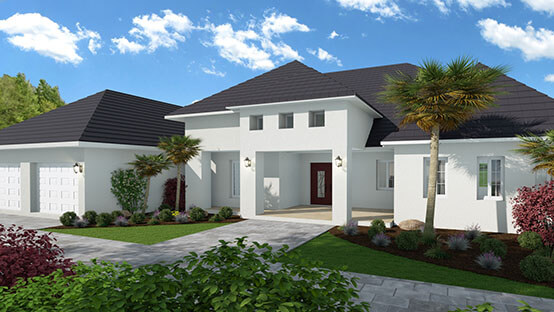
Multi-slope roof
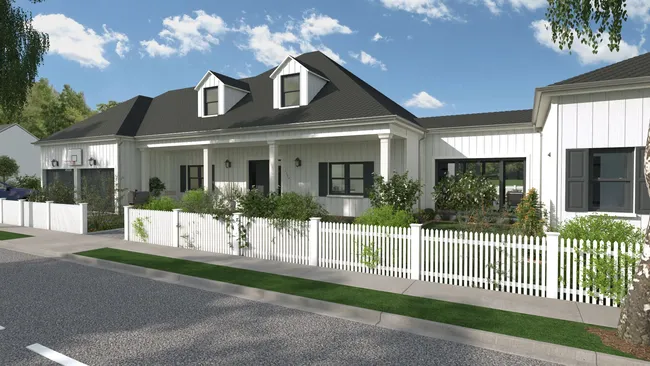
Roof with dormers
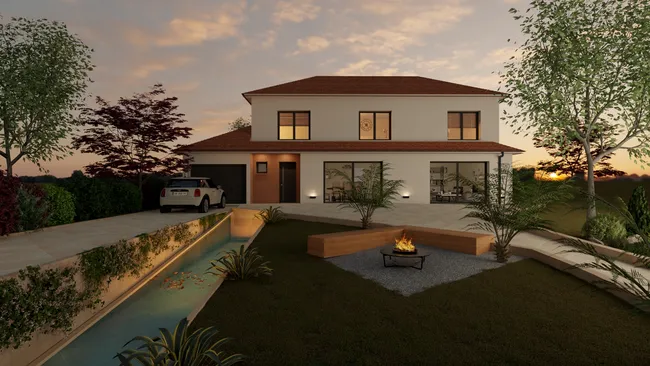
Hip Roof
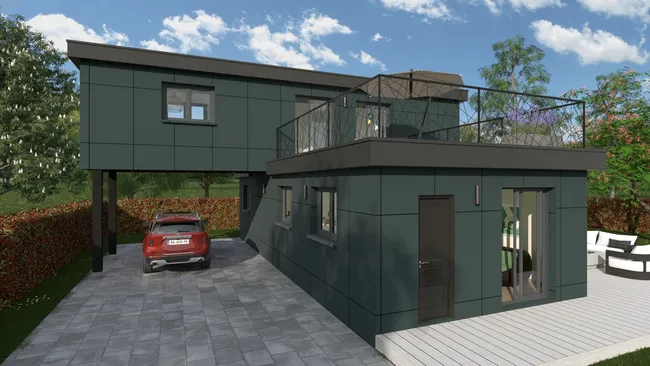
Rooftop terrace
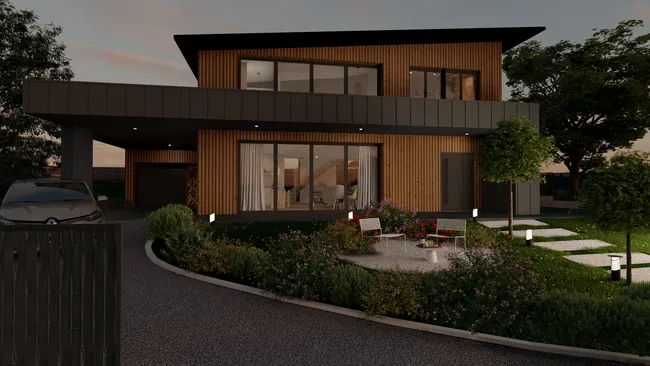
Metal roof
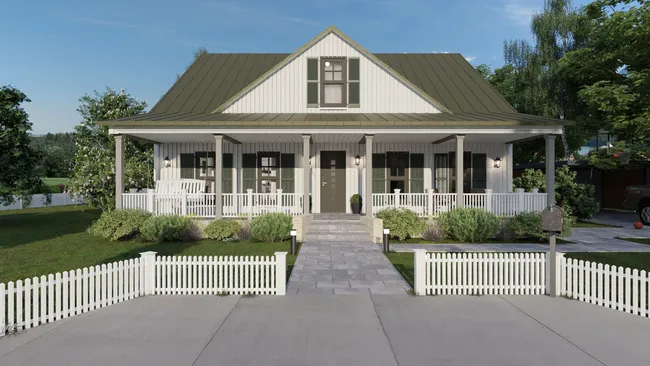
Bonnet roof
“The ease of drawing the 2D layout plan was the main draw to this program. It was very intuitive compared to some other programs that were trialed.”
Roof Design Software FAQ
Yes, Cedreo offers one-click automatic roof detection that creates roofs based on your floor plan perimeter.
This is a major time-saver in the planning process versus manual tracing, especially for simple roof types like a gable roof.
You can design roof types like gable, hip, bonnet roofs, dormers, flat roofs, and more.
You can also add unique roofs such as green roofs, rooftop terraces, and solar panels.
In Cedreo, you can set the roof pitch by changing the angle or percentage of the slope.
You can also adjust roof height, material styles, and other parameters to match the design intent.
Yes, you can build multi-slope roof designs and add roof valleys to connect sections cleanly.
For home additions, you can also draw the existing roof and test how the new roof will connect to it.
Cedreo lets you apply roofing materials like shingles, metal, and tile so homeowners can visualize options.
You can also create different styles of roofs, like green roofs, stone roofs, and rooftop decks.
Yes, Cedreo lets you add dormers, skylights, and roof windows to match the style and needs of the attic and the floor plan.
Yes. In Cedreo, from the roof tab, you can add gutters and downspouts, then customize them for proper water drainage in your new roof design.
A roof plan generator speeds up the whole process by turning your existing floor plan into a roof structure fast, then letting you fine-tune pitch, thickness, and styles.
It also keeps contractors, homeowners, and other professionals aligned on the same vision, which improves project management and reduces rework at different times.